MONET (Molecular Dynamics Extractor & Analyzer) is a code with a graphical user interface, built on the ASE and MDAnalysis libraries, for analyzing molecular dynamics simulations and extracting the dynamic properties of the systems under study.
MONET (Molecular Dynamics Extractor & Analyzer) is a tool for analyzing molecular dynamics trajectories, both classical and ab initio, along with the properties of the simulated system. Built on top of the ASE and MDAnalysis libraries, it adds custom features such as the calculation of autocorrelation functions and thermal ellipsoids. These analyses serve both to validate simulations and to quickly compare results with experimental data. MONET can also extract statistically uncorrelated configurations along the trajectory, enabling a targeted analysis of individual molecular structures. Finally, a Python plugin system lets users extend its functionality to suit their own needs.
MONET is a web page plus a small Python service (the launcher) that runs ASE and MDAnalysis on your computer. You start the launcher; it opens the page in your browser.
- Install Python 3.10 or newer once (python.org/downloads; on Windows tick Add python.exe to PATH), or use conda.
- Download MONET (Code › Download ZIP on GitHub, then extract the whole folder, or git clone).
- Start the launcher:
macOS: double-click start_monet.command (the first time: right-click › Open › Open).
Windows: double-click start_monet.bat (if SmartScreen appears: More info › Run anyway).
Linux: run ./start_monet.command in a terminal.
- The first start creates a private environment (the .venv folder) and installs ASE, MDAnalysis, spglib and networkx. It needs internet once and takes a few minutes; later starts are immediate.
- Your browser shows MONET at http://127.0.0.1:8765. The badge at the top right shows the ASE and MDAnalysis versions when everything is ready.
- Keep the terminal window open while you work. When you have finished, press Ctrl+C in it to stop MONET.
With conda: conda env create -f environment.yml, conda activate monet, python start_monet.py. If the port is busy, add --port 8766; MONET_PYTHON chooses a particular Python.
Everything runs on your computer. The launcher listens on 127.0.0.1 only, asks for a per-session token, and keeps uploaded files in a private folder that is deleted when you stop it; your trajectory never leaves your computer (the internet is used only to install the Python packages). A trajectory is uploaded once (up to 200 GB, --max-upload-gb); every scan, analysis and extraction then runs as a background job with a progress bar and a Cancel button.
Screenshots
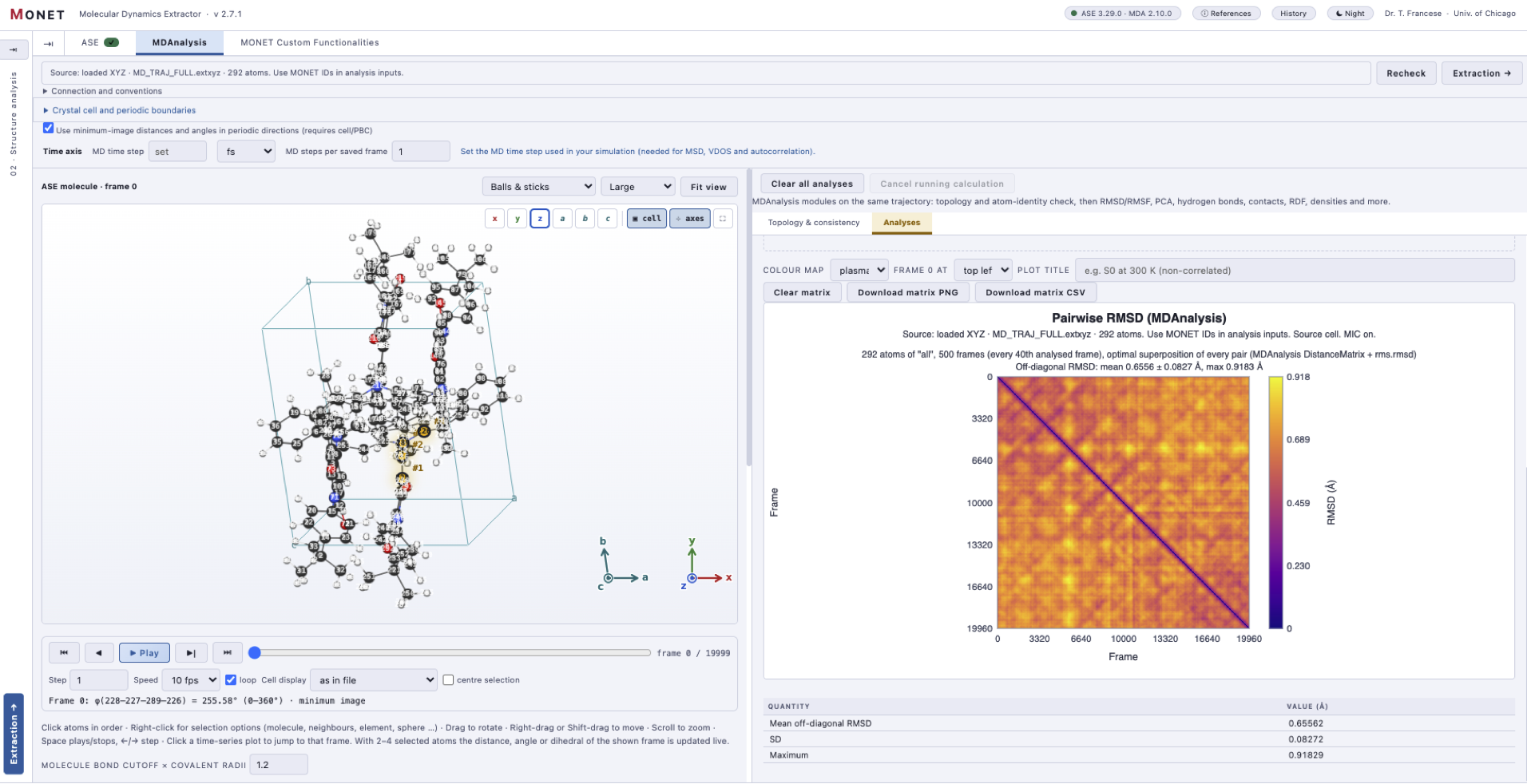
Pairwise RMSD matrix
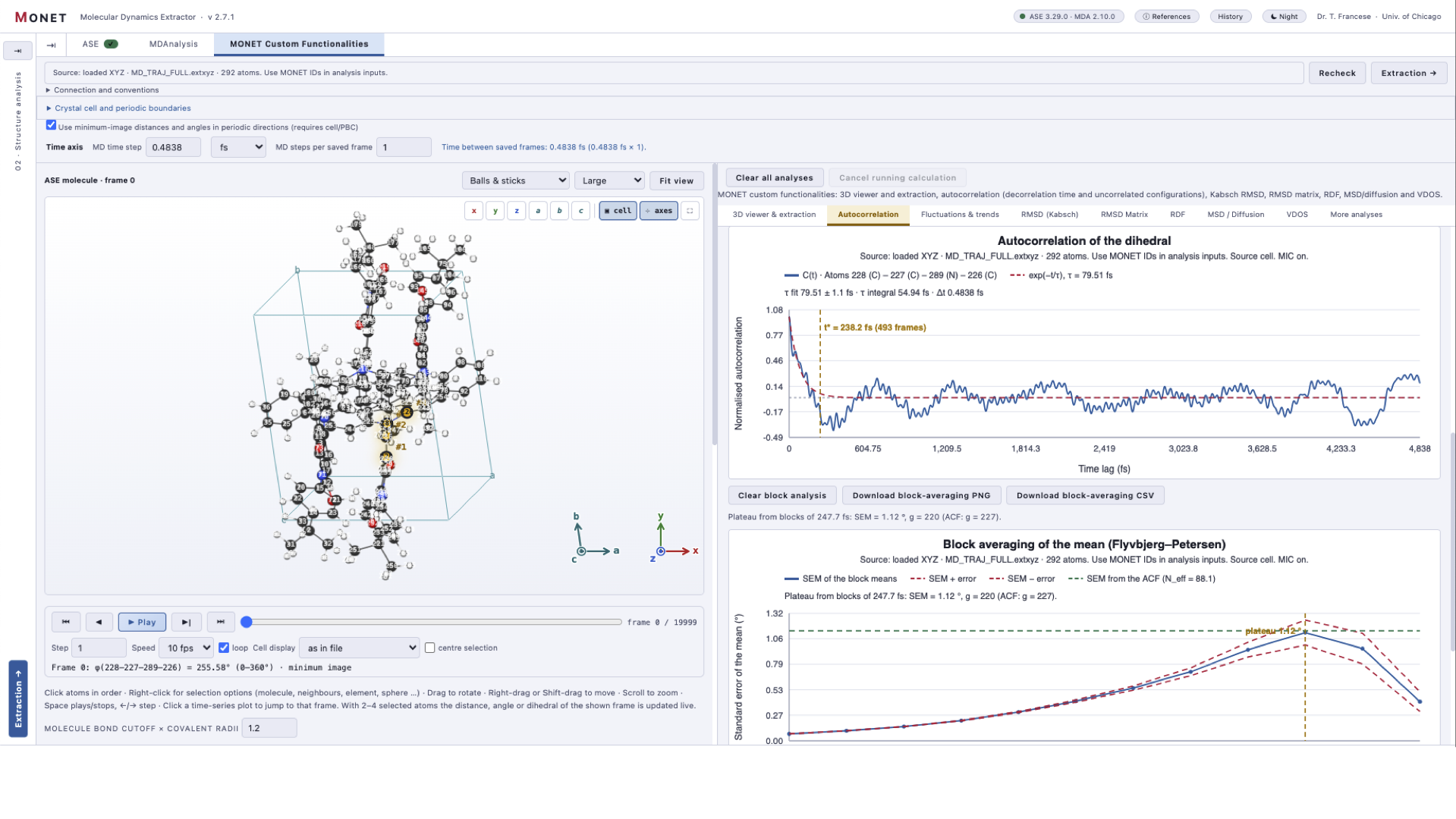
Autocorrelation function of a dihedral angle
Updates
v2.7.2
Integrated Manual: Added a localized (EN/IT) manual served via the launcher at /manual, accessible from the title bar. Powered by a new, custom standard-library Markdown reader (monet_manual.py) that supports backslash escapes.
Comprehensive Content: Covers MONET basics, file formats, viewers, and all analyses. Introduces a "Key concepts" section (MONET ID, cells, SD vs SEM) and a workflow diagram. Every analysis follows a standard structure: purpose, steps, interpretation, and warnings.
Automated Assets: Added tools (manual_data.py, make_manual_images.py) to generate synthetic trajectories and auto-redraw the 41 manual screenshots using Playwright.
Testing: Added tests/manual.cjs to verify Markdown rendering, valid image links, structural parity between the English and Italian versions, and secure file serving.